v2.8.0: Summary Report progress and per-layer error handling
Two user-facing improvements to the Summary Report export, both driven by customer feedback this week. The save dialog now appears immediately when you click Export, generation runs behind a full progress overlay, and a single bad layer no longer aborts the whole report.
Progress feedback during generation
On larger projects the Summary Report can take 10 to 30 seconds to build. In v2.7.0 the save dialog only appeared after that work finished, and the only in-progress indicator was a small spinner tucked into the status bar. On a complex board it was easy to miss, click away, and assume the export had silently failed.
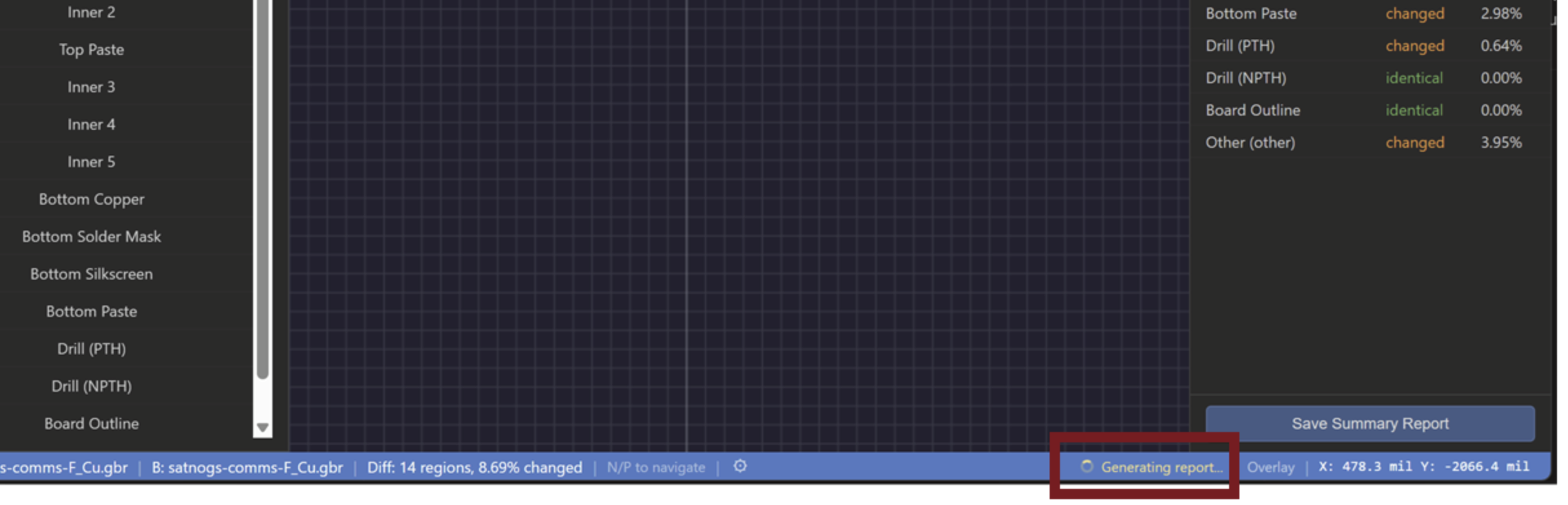
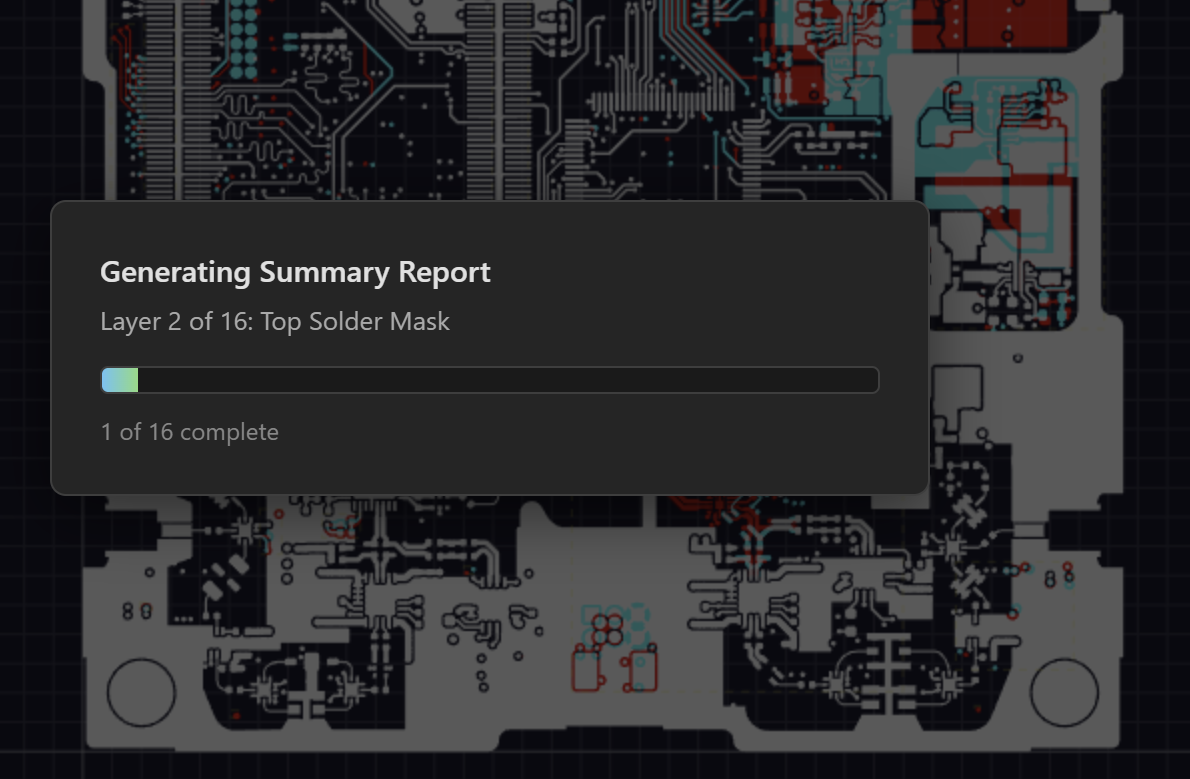
v2.8.0 reverses the order. The save dialog now appears the moment you click Export, before any generation runs. Once you pick a destination, a centered progress overlay takes over the screen with the actual state of the work: which layer is currently rendering, how many are complete, how many remain, and a progress bar that tracks real progress instead of an indeterminate spin. The overlay also surfaces a running failure count so you know mid-render whether anything has gone sideways.
Per-layer error handling
Previously, if any selected layer hit a render error, the whole report would fail to generate and nothing would be saved. The most common trigger was an empty paste or silk layer in the source files, which is a normal output of several CAD tools and not actually a problem with the design. One blank layer would still take the entire export down.
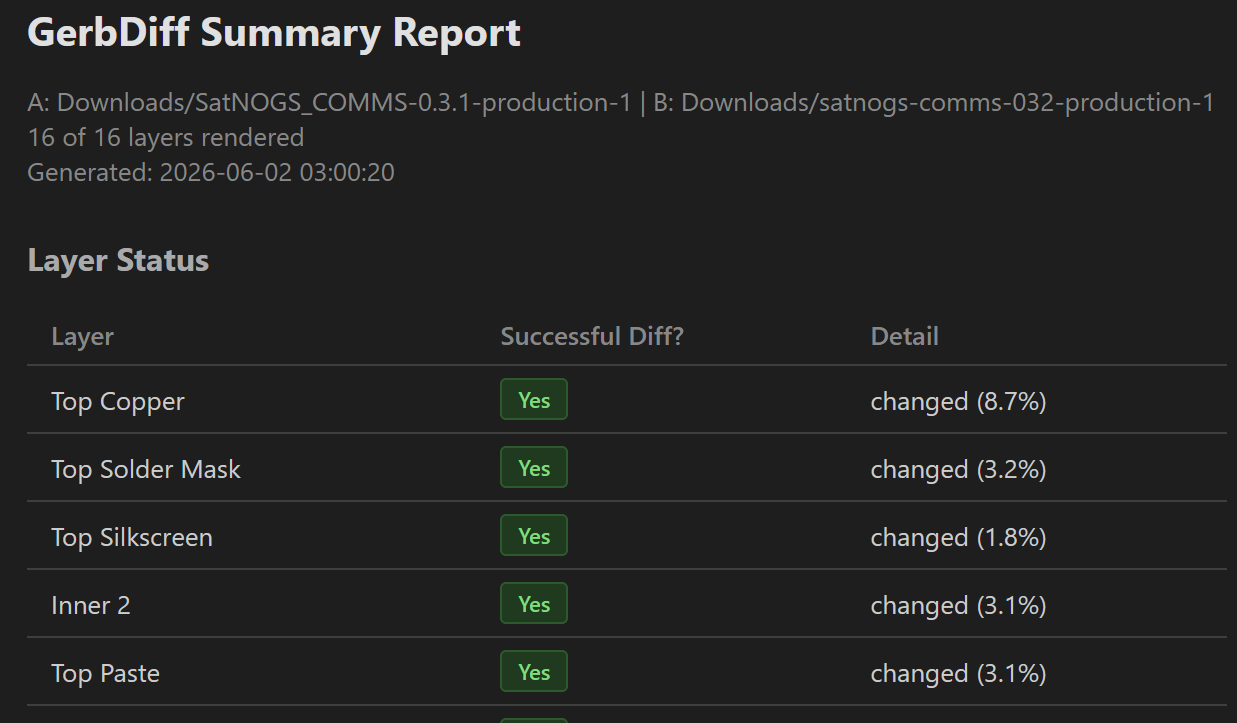
In v2.8.0 each layer renders independently. Failures are caught, the report still gets written, and a new Layer Status table at the top of the report flags every included layer with a green Yes or red No and a plain-language reason for any failure. A yellow banner above the table highlights the failure count so it isn't missed, and the export toast tells you the same thing on close so you know to scroll up.
Friendlier error copy
The internal error strings that previously appeared in customer-facing reports (Image has empty bounding box and similar) were replaced with plain-language descriptions like Layer contains no geometry (empty or blank in the source file). Same behavior, easier to act on.
Update or try GerbDiff
v2.8.0 is available now. Existing installs will auto-update. New here? 30-day free trial, no credit card.
Download GerbDiff Try in Browser